PHP & Web Development Blogs

Search Results For: their
Showing 16 to 20 of 30 blog articles.
11209 views · 6 years ago
Conferences are always looking for speakers - it can be hard to keep track of them all and the requirements they have. I wanted to put together this quick guide to make it easy for you to apply. Make sure to apply because as Wayne Gretzky said “You miss 100% of the shots you don’t take”!!!
phpDay 2019

First we have phpDay 2019 which will take place on May 10 & 11 at Hotel San Marco in Verona, Italy. Some facts about this call for papers:
*Submission deadline: February 4, 2019
*Submit via: https://cfp.phpday.it/
* For more info on the conference: https://2019.phpday.it/
* Twitter: (@phpday)
* Speaker package includes: Full conference pass (jsDay + phpDay), speaker dinner the first night, lunch, reception and activities included in regular conference.
* For speakers remote to the Area: A refund of up to €200 for travel costs (or €500 from US or extra-EU), 2 complimentary hotel nights (+1 hotel night for speakers presenting multiple talks or US/extra-EU) and Taxi fare from/to the airport.
*In Submission: make sure your talk title and abstract define the exact topic you want to talk about and what you hope people will learn from the session.
*Talk Ideas: APIs (REST, SOAP, etc.), Architectures, Continuous Delivery, Databases, Development, Devops, Frameworks, Internals, PHP 7.x / PHP 8, Security, Testing and UI/UX.

ScotlandPHP

Next we have ScotlandPHP which will take place on November 8 & 9 at Edinburgh International Conference Centre in Edinburgh, Scotland.
*Submission deadline: April 22, 2019
*Submit via: https://cfs.scotlandphp.co.uk/
* For more info on the conference: https://conference.scotlandphp.co.uk/
* Twitter: (@scotlandphp)
* Speaker package: Full conference pass, lunch, receptions and activities included in regular conference.
* For speakers remote to the Area: Complimentary airfare/travel, 2 complimentary hotel nights and we'll pick you up and drop you off to/from the airport so you don't have to worry about it.
* Speakers will be provided with a projector, a wireless lapel microphone and a screen for their presentation (size depends on the room). Speakers should bring any equipment they need to connect to projectors (VGA). It is also suggested that you reduce your dependency on the in-house internet connection as possible. We will however provide HDMI and Mini Display Port connections for all speakers on request. If you need something different or your selected talk needs audio equipment just let us know. We'll work it out.
* Looking for talks and workshops (November 8th).
*Talk Ideas: Virtualization and environments, Javascript, Alternate PHP run-times, PHP internals, Development principles, Security, Mobile-first design, Testing (unit, functional, etc.), Version control, User Experience/Usability, Building APIs (REST, SOAP, whatever), Continuous Integration, Framework-related topics, and Professional development.

Global diversity CFP day

In 2019 there will be numerous workshops hosted around the globe encouraging and advising newbie speakers to put together your very first talk proposal and share your own individual perspective on any subject of interest to people in tech.
* Twitter: (@gdcfpday)
*Save the Date: March 2, 2019
*Register here: https://www.globaldiversitycfpday.com/?utm_source=scotphp

CoderCruise

Then there is CoderCruise which will take place on August 19-23. It's a cruise that takes off from Port Canaveral, Florida and goes to the Bahamas.
* Twitter: (@codercruise)
*Submission deadline: March 3, 2019
*Submit via: https://www.papercall.io/codercruise-2019
* For more info on the conference: https://www.codercruise.com/
* This is a polyglot conference so looking for speakers on a wide variety of languages (PHP, JavaScript, Java, Python, etc.) and on various tech topics.

PHP Conference Asia 2019

There is also PHP Conference Asia 2019, which will take place on June 24-25 at Microsot Singapore.
*Submission deadline: March 8, 2019
*Submit via: https://cfp.phpconf.asia/
* For more info on the conference: https://2019.phpconf.asia/
* Twitter: (@PHPConfAsia)
* Speaker package includes: Speaker package: Full conference pass, lunch, receptions and activities included in regular conference. We'll pick you up and drop you off to/from the airport so you don't have to worry about it. Speakers' dinner on the first evening of the conference (24th June 2019). Transport to and from the conference venue will be included
* For speakers remote to the Area: 2 complimentary hotel nights and
we can consider providing grants to partially cover the air-fare for speakers who might have financial difficulties. This is on a case-by-case basis.
* Speakers will be provided with a projector, a wireless hand-held microphone and a screen for their presentation. Speakers should prepare their slides in 4x3 aspect ratio. Speakers should bring any equipment they need to connect to projectors (HDMI). It is also suggested that you reduce your dependency on the in-house internet connection as possible.
*In Submission: Make sure your talk title and abstract define the exact topic you want to talk about and what you hope people will learn from the session.
*Talk Ideas: Virtualization and environments, Javascript, Alternate PHP run-times, PHP internals, Development principles, Security, Mobile-first design, Testing (unit, functional, etc.), Version control, User Experience/Usability, Building APIs (REST, SOAP, whatever), Continuous Integration, Framework-related topics, and Professional development.

Cascadia PHP

Another conference to apply to is Cascadia PHP, which will take place on September 19-21 at University Place Hotel & Conference Center in Portland, Oregon.
*Submission deadline: April 15, 2019
*Submit via: https://cfp.cascadiaphp.com/
* For more info on the conference: https://www.cascadiaphp.com/venue
* Twitter: (@CascadiaPHP)
* Speaker package includes: Speaker package: Full conference pass, lunch, receptions and activities included in regular conference. For speakers remote to the Area: Complimentary airfare/travel, 2 complimentary hotel nights and we'll pick you up and drop you off to/from the airport so you don't have to worry about it.
Speakers will be provided with a projector, a wireless lapel microphone and a screen for their presentation (size depends on the room). Speakers should bring any equipment they need to connect to projectors (VGA). It is also suggested that you reduce your dependency on the in-house internet connection as possible.
*In Submission: make sure your talk title and abstract define the exact topic you want to talk about and what you hope people will learn from the session.
*Talk Ideas: PHP internals, Version control, Framework-related topics, Building APIs (REST, SOAP, whatever), Mobile-first design, Professional development, Testing (unit, functional, etc.), Alternate PHP run-times, Development principles, Continuous Integration, Getting involved in the PHP community, User Experience/Usability, Technology at large, Security, Connecting to Different APIs, Development Tools, Virtualization and environments, Javascript, Modern hosting practices, Language Features, Databases, Refactoring legacy applications, Running/contributing to open source projects, AI and AR, and User Groups.

Nomad PHP

Last but not least - this is an ongoing call for papers. This is perfect if you want to present from the comfort of your office, home or really wherever you are. It’s via RingCentral meetings and will be live and recorded. This is for none other than Nomad PHP.
* Twitter: (@nomadphp)
* Deadline: Anytime :D
* Talk length: 45 - 60 minutes.
* Talks should be unique to Nomad PHP and not available in video format online.
* Talk should not be recorded or made available elsewhere online for at least 3 months following your talk.
* The talk will be featured on our page and promoted via social media.
* Speakers will receive a financial stipend.
* Upon being selected we will reach out with further details.
*Talk ideas: AI & Machine Learning, APIs, Containerization, Databases, DevOps, Documentation, Frameworks, Performance, Security, Serverless, Testing, Tools, Upgrading/ Modernization, and more.
*Submit here: https://www.papercall.io/nomadphp
Now that you have some information - make sure to apply to all of these options! Can't wait to see all of your awesome talks you present :D!
10472 views · 6 years ago
When PHP Frameworks Suck

INTRO

If you are working as a PHP software developer, there is an extremely high chance that all of your application, you’re currently working on, using frameworks of any kind.
PHP community developers of all levels worship frameworks since there are big historical and practical reasons for that.

Historical reasons

Since early PHP versions, developers were disreputable because not everybody considered PHP as a programming language, similar to JavaScript a couple of years ago. While strong type language existed decades ago, PHP continues to be soft type since now, only in version 7 basic types were introduced. There is also a matter of the fact that you can script in PHP without using a single object.

But that opened a space for frameworks to step in and introduce themselves as a tool or standard which will shape projects, give them right and order, introduce structure and rules.
And finally, they did. Frameworks are good examples of nice structures, using all available new features PHP offers with every version, enforcing some good practice, etc.

Practical reasons

The framework offers a lot of common problems already solved. They offer a nice ecosystem for other developers to contribute and plug their components. There is a lot of online resources for learning and stay updated about any particular framework. Also, what every framework community tries very hard, is to make setup and usage easy.

WHEN PHP FRAMEWORKS SUCKS

I recently had the opportunity to give a talk on a conference and one meetup about why PHP framework sometimes sucks. Sometimes things we see in framework tutorials does not seem to be very much aligned with some object-oriented standards we are striving to enforce, and with basic clean code guidelines. On the other hand, there is nothing wrong with using a framework, if you use it right.

This article is the first "pilot" article in this series. In every new blog in this series, we will go more in-depth about every specific topic I covered during my presentation.
I'm very excited to share this knowledge, as I saw many developers suffer from bonded-to-framework disease.

https://twitter.com/damnjan/status/1058306144458956800

I won’t spend much time here on any particular framework discussion. This series will be just a guide on how to unbind yourself from frameworks and use them as a tool, instead of being independent.

**Here is the link to the presentation slides.**
9646 views · 7 years ago
Now that the Thanksgiving and Black Friday are left behind, we're all back at our desks, some of us having PHPStorm open for the whole day. In this post, I'll say a few words on this beautiful IDE, PHPUnit and XDebug.
You know that unit tests are essential, don't you? So do the PHPStorm developers. This industry-standard level IDE has tons of capabilities for integrating test frameworks and debuggers into your project. Even if you use VMs or containers to run your development environment, chances are they got you covered!

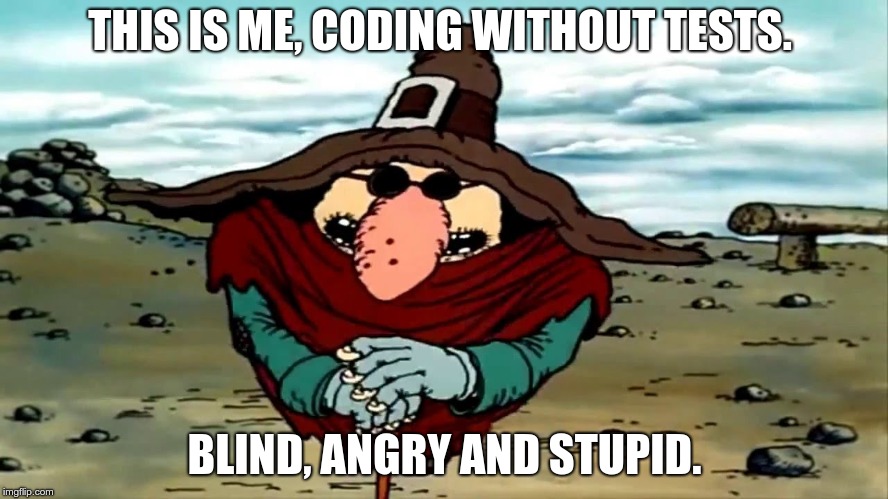
Blind Pew from Treasure Island

I often see even experienced PHP programmers debugging their code with var_dump(), which is obviously not the best way to do it. If you see the code for the first time, if you work with legacy code - step-by-step interactive debugging is the way to go. Sometimes it can save you hours of old school var_dumping.

As of unit tests, I often hear that it's good enough to run tests from the terminal. I even know a guy who runs watch phpunit /path/to/test while developing: this way the test is run every 2 seconds, you switch to the terminal whenever you want to see the latest results and that's it. However, there are certain advantages in running tests from the IDE. First, it's super-handy to launch a test method, test class or a whole folder with tests, just by pressing a hotkey. Second, the test results appear right there, in PHPStorm, with failures and their stack traces, every entry clickable and takes you directly to the file:line where a nasty thing happened. I also find the ability to run a debugger for a unit test, extremely attractive. Test fails, you click on a trace entry, get to a problematic line, place a break point, re-run the test in debug mode - and there you go.

For all those integrations, you will first need to setup the PHP interpreter for the project: Configuring PHP Development Environment. You will find both local and remote interpreter setups. "Local" is the PHP that you have on your workstation, the host machine. "Remote" can be pretty much everything: SSH if your Dev environment runs on a shared sandbox for all developers, docker or docker-compose if you run it using docker containers.

Next step - creating PHPUnit configuration. Go toSettings -> Languages and Frameworks -> PHP -> Test Frameworks. Follow this guide, it has much more information which will be more up-to-date than this post.Don't forget to set Path Mappings for your remote environments! That is, you probably have your project in, say, $HOME/projects/cool-project, but inside a docker or on a remote host it might be located at /app or /var/www, then you have to let PHPStorm know about this.

Once you're done with PHPUnit setup, you can finally run your tests! The default shortcut on my Linux machine isCtrl+Shift+F10 (shortcuts are usually different on Mac though). Place a cursor inside a test method, press the shotcut: PHPStorm will launch PHPUnit withthat particular test method! When the cursor in a scope of test class but not inside a test method - the whole test class will be run. And, you also can select a whole folder with tests, in the project tree and run it, ain't that cool?

A small tip for the docker-compose lovers. When I first set PHPStorm integration with docker-compose and ran the tests, I was quite surprised (unpleasantly) to see that myphp-fpm service that I was connecting to, is gone after the test process is finished. Took me some time to figure out that it's PHPStorm's expected behavior. It stops the target service after it's done testing. A workaround I started to use is as follows: I just add another service calledphpunit which uses a php-fpm or php-cli image, and is not needed by anything except unit testing in PHPStorm.

Now to debugging.


Debugging is like being the detective in a crime movie where you are also the murderer. Filipe Fortes a.k.a. @fortes


Obviously, your PHP interpreter in development environment will need a debugger extension in order for you to debug interactively. PHPStorm support the two most widely used options: XDebug and Zend Debugger. When using docker I usually make a separate Dockerfile for development, using production image as base, then add development tools,XDebug being the most important. Honestly, I've never usedZend Debugger, so have little to tell about its' nuances.

Got an extension? Go to Debugging Ultimate Guide! Debugger settings in PHPStorm are atSettings -> Languages and Frameworks -> PHP -> Debug. Most of the time you don't need to change them.Again, a note for docker-compose users. There is an XDebug setting that allow debugger to resolve the client (PHPStorm) IP address:xdebug.remoteconnect_back_. That's a disappointment but those will not work, at least with a default docker-compose setup. Thing is, all containers in a compose stack are running behind a network proxy provided by docker-compose. That is, the REMOTE_ADDR for all the containers will always be the IP of proxy. A workaround:

* disablexdebug.remoteconnect_back_;
* add.user.ini to the application root folder with the following contents:xdebug.remotehost = 192.168.X.X_ (your machine's IP address in the LAN). It's generally a good idea to exclude.user.ini from VCS control.

As a conclusion: if you still usevardump()_ to debug, stop living in the stone age, upgrade your knowledge and become more productive! If you don't write unit tests, start doing it. If your managers say it's a waste of time, tell them that it's coding without tests that is a waste of time. And, if you find this post of any use, or have an opinion, or a question - please do comment!
9188 views · 4 years ago
10 SEO Best Practices for Web Developers

You've built an amazing website, but how do you make sure people can find your site via search engines? In this article we cover 10 best practices to make sure your article not only stands out, but ranks well with search engines.

1. Take time to research keywords


To determine the best keywords for your site, you'll need to do some keyword research. This usually consists of combing through your competitors' sites for the keywords that are driving them the most traffic. There are several ways you can get started with keyword research. One recommended way is to create a spreadsheet with your competitors' sites listed and add keywords that you can copy and paste your competitors' keywords into Google's Keyword Tool and Google Webmaster Tools Keyword Analyzer tool. Analyze your competition's site's website titles to find out what keywords they are using tools such as Ahrefs, Moz, SpyFu, or SEMrush to find out what keywords others are using on your competitor's site.

2. Focus on your Title tag


This is the headline for every article. It needs to be bold and attention grabbing so it can catch the eye of potential users. Pick it somewhere around 60-90 characters to make sure it is displayed properly in search engines as well as readable in the browser tab. As you write your title, focus on the unique keywords your readers are likely to search for. Also make sure that the keywords you select are relevant to your page. Another good practice is to make the title tag and your header (h1) the same.

3. Carefully craft your H1, H2, H3 tags


Careful usage of header tags helps search engines identify keywords within your page. To get the best results from your header tags, use H1, H2, and H3 in order with keywords in your H2 and H3 headers that support your H1 tag. Remember, your H1 tag should mimic your title tag, whereas the H2 and H3 can expand and add additional context. You can also utilize multiple H2 and H3 tags, however be sure that these headers are supporting the H1 tag and relevant to the content on your page. Using irrelevant header keywords can actually work to your disadvantage.

4. Avoid loading content with JavaScript


Despite it's popularity, JavaScript is not yet well supported by search engines and can mask important content. Progressive Web Apps in particular can suffer as key content is loaded after the page is spidered, or in the case of many search engines that do not yet index JavaScript not loaded at all. This is also the case for many social media sites, meaning that content loaded dynamically is not evaluated or pulled in, resulting in the default skeleton of your site being what shows up in search engines and in link previews.

5. Carefully name images


In the past search engines would evaluate your images based on their alt tag, however as more and more developers loaded irrelevant keywords into this hidden image text search engines instead added more emphasis to the actual name of the image itself. This means using generic image names such as 1.jpg can actually hurt your site ranking as search engines might be looking for seokeywords.jpg. Now, just because you're carefully naming your images with relevant keywords describing the image doesn't mean you should ignore the alt tag. Be sure to continue to include alt tags for older search engines, in the case the image doesn't load, and for accessibility (ie screen readers).

6. Work to improve your page load time


It’s not a secret that faster sites rank higher in search engines. Most search engines use the PageSpeed Index from Google to determine the speed of websites. One thing Google looks at is how fast images are loading. For this reason, we recommend taking a look at how long it takes for the first image to load on your site or even take advantage of lazy loading for non-critical images. You want images to be loading within 30 seconds at the absolute latest, before the user can actually click on the page. You also need to make sure that if you're using multiple images that they load as one group. Next, take a look at how long it takes to load a webpage. Are pages taking longer than three seconds to load on your site? You want to have pages that load fast for users, but your code and templates can easily be causing this to happen.

7. Optimize text throughout your page


Beyond your title tag, headers, and images it's important to work keywords into your standard content, while also working to avoid overloading keywords. To help prevent overloading and increase search engine rankings across multiple keywords you can use alternative phrases. In the case of "PHP training" an alternative phrase might be "PHP tutorials" or "PHP course." This both helps support the primary keyword, while also allowing the page to rank for these keywords as well. Remember to use the tools referenced above to find the keywords that are right for your site, and then work them in to natural sentences without forcing keywords or becoming overly repetitive. Also keep in mind, just as important as the content and keywords on the page are to search engines, how users engage with that content is also critical. If your page experience's high bounce rates or low engagement with the content, it is likely to be deprioritized by search engines, meaning a page highly optimized for search engines but not humans may enjoy a higher ranking, but only for a short time before it is heavily penalized.

8. Build your Domain and Page Authority


Domain and Page Authority are determined not just by the number of back-links (or sites linking to your domain or page), but also the quality of the sites and pages linking to you. One practice that has made obtaining a better DA or PA harder has been purchasing or acquiring bulk back-links. Note this practice is actually against Google's TOS and may result in your entire site being banned from their search results! Because of this practice, it's important to focus on high quality sites and work to get back-links naturally either through partnerships or syndicated content (such as blog posts). You can also check your DA here or using one of the many tools referenced above.

9. Take advantage of social media


Speaking of back-links, social media can be a powerful tool for increasing page visibility while also improving your search engine rankings! Remember, most social sites do not support or read JavaScript, so ensure your content is available on the page. If you do have a progressive web app with JavaScript loading your content, look into using Headless Chrome to render a JavaScript free version of your site for specific bots (note - the content MUST be the same content a user would see or your site may be blocked). There are also numerous tools to allow you to build the content via JavaScript on the server backend before passing it to your readers. To help get even more exposure, consider adding social share links or tools like AddThis.

10. Good SEO takes time


The truth is that there really aren't any special secrets or ingredients to ranking well in search engines (well not that Google has publicly shared). Instead it's about properly formatting your page, making sure it's readable to search engines, and providing content that your readers will engage with. As you provide more valuable content, and more people like and link to your content - your site's Domain Authority will gradually increase, giving your site and pages more powerful - resulting in a higher ranking.
8645 views · 6 years ago
Midwest PHP and Nomad PHP Join Forces!


Interested in sponsoring? Check out the prospectus


A little history

Several years ago I had the distinct privilege of founding Midwest PHP with Jonathan Sundquist. The goal was simple, to bring an affordable PHP conference to Minnesota and the midwest region.

Midwest PHP was created for one simple reason - there weren't a lot of alternatives, especially affordable ones. At the time, your choices were ZendCon in Silicon Valley, php[tek] in Chicago, or Northeast PHP in Boston. While Northeast PHP formed the blueprint of a community conference - it still required a flight and a costly hotel in Boston. I wanted something where local attendees, college students, and those just beginning in their PHP careers could go to learn, network, and become part of the PHP community.

Shortly after Midwest PHP was formed (originally we were using the name PHPFreeze - until Sundquist told me what a horrible idea it was), Adam Culp launched Sunshine PHP which has become one of the top community focused PHP conferences (but still requires that flight and hotel in Miami). Sundquist and I knew that any reasonable developer would still prefer to attend a conference in a blizzard than enjoy the beautiful Floridian weather (ok, that might not be it, but we still understood the need that existed).

After moving to California for my new job, Jonathan Sundquist continued to run Midwest PHP as more community conferences appeared. With his efforts, and the torch being passed to Mike Willbanks, Midwest PHP celebrated it's seventh consecutive year, becoming the longest continuously running PHP conference (if you go by formed date, if you go by actual conference date Sunshine PHP beats us out by a month).


A renewed focus


Developers at Midwest PHP

Because of the incredible work Jonathan and Mike have done, Midwest PHP has stood the test of time - and the peaks and valleys that come with any conference. With the shifts in the PHP community and the sad loss of several community conferences - we realized the need for Midwest PHP is more now than ever, and to meet that need we needed to reimagine the way the conference operated.

We also realized that the best way to make Midwest PHP accessible was to combine forces, creating a seamless partnership between Nomad PHP and Midwest PHP. Through this partnership we're not only able to stream the event to make it more accessible ($19.95/mo), but also expand the conference.

This year, taking place onApril 2-4, 2020 - Midwest PHP will bring together over 800 developers both in-person and virtually! Making this year truly unique, however, and staying with our purpose of helping new developers be part of the PHP community is abrand new, FREE, beginner track. I'm excited to say we will be giving away 200 tickets to those wishing to attend our Beginner or Learn PHP track!!!

We will also work to keep prices as low as possible as we offer our standard PHP tracks (Everyday PHP and PHP Performance & Security) starting at $250/ person, anda brand new enterprise track geared at developers facing challenges at unprecedented scale starting at $450/ person.

Last but not least, it is our goal with the help of our sponsors to include the workshop day as part of your ticket price - allowing you to get one day of in-depth training, and two more full days of sessions. On top of this, we're also excited to make the Nomad PHP and Nomad JS video libraries available for Standard and Enterprise attendees, providing over 220 additional virtual sessions on demand!


For sponsors

Sponsoring a conference is hard. We understand the challenge of gauging ROI, planning travel, and coordinating outreach. With the combined forces of Midwest PHP and Nomad PHP, we're able to offer sponsors unique plans that maximize their investment - while ensuring the funds go back into the event to create an amazing experience for our attendees.

Beyond Midwest PHP's goal to be the largest PHP conference this year - the included Nomad PHP advertising will help you reach a much larger and broader audience, allowing for follow up advertisements and consistent engagement with the PHP community.


Interested in sponsoring? Check out the prospectus


Next steps

For more information, please visit the Midwest PHP website. The venue, call for papers, and additional information will all be posted there soon.

SPONSORS

The Ultimate Managed Hosting Platform